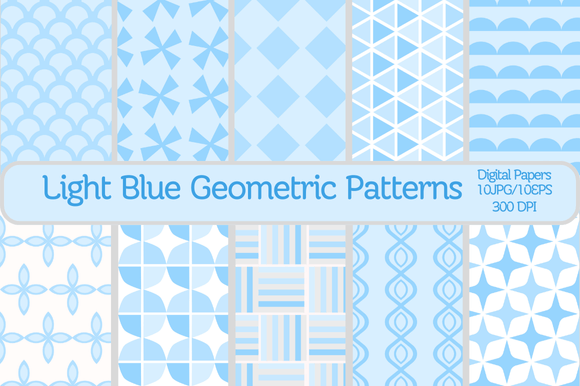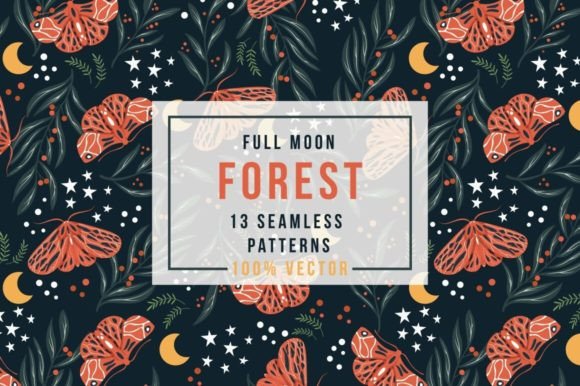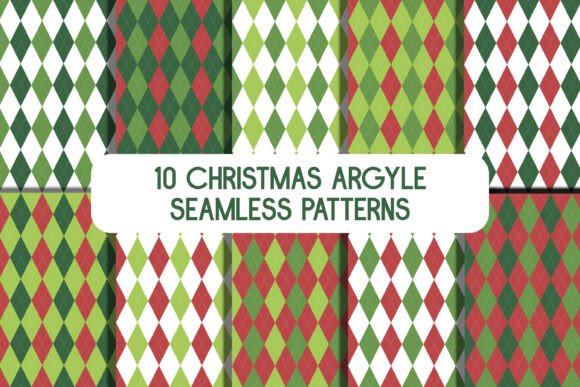
10 Seamless Geometric Patterns: A Practical Toolkit for Modern Creators
In a world where visual consistency matters more than ever, finding the right background elements can make or break a design project. This is where 10 Seamless Geometric Patterns steps in as a versatile solution for anyone looking to elevate their work without starting from scratch. These aren't just random shapes; they are carefully crafted vector assets designed to fit into the workflow of professionals and hobbyists alike. Whether you are running a small business, managing a blog, or simply trying to create a unique gift for a loved one, having a library of high-quality, editable patterns saves hours of frustration.
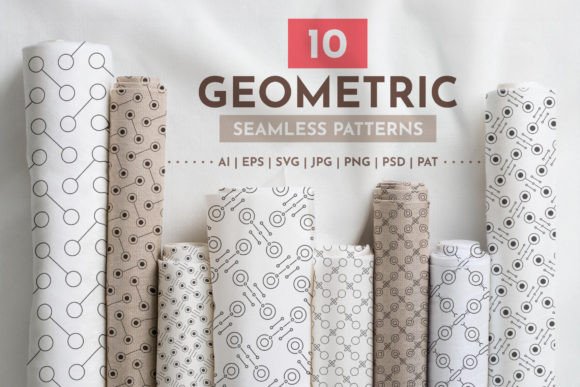
The core value of this set lies in its flexibility. You get ten distinct designs that are fully seamless, meaning they tile infinitely without visible breaks. This is crucial for applications like fabric printing, website backgrounds, or packaging, where the pattern must repeat perfectly. Because these resources are provided in vector format, you have total control over the final look. You aren't stuck with a fixed image size; instead, you can scale them up to billboard dimensions or down to a tiny icon without any loss of quality. Furthermore, the organized layers and swatch panels allow you to change colors instantly, ensuring the patterns match your specific brand palette or personal mood.
Why Designers and Entrepreneurs Love Vector-Based Patterns
When you are working on a commercial project, time is money. The ability to edit 10 Seamless Geometric Patterns directly within Adobe Illustrator or other vector software means you can iterate quickly. Imagine you are designing a new line of t-shirts for an upcoming summer collection. You need a pattern that feels fresh but also aligns with your brand's color scheme. With standard raster images, changing the hue often requires complex editing tools that can degrade the image. With these vector files, you simply select a shape, open the color panel, and swap the shade. It takes seconds, not minutes.
This level of control extends to the file formats included. The package comes with AI, EPS, and SVG files, which are the gold standards for professional design. If you are a freelancer taking on a client who needs a logo or a print layout, having the source files allows you to adapt the geometric shapes to fit specific constraints. For instance, if a client wants to use the pattern on a curved surface, the vector data ensures the geometry remains crisp and precise, avoiding the pixelation that plagues JPEG or PNG files when stretched.
Real-World Applications Across Industries
The utility of these patterns goes far beyond simple decoration. Let's look at how different users actually apply these assets in their daily lives and businesses.
- Fabric and Textile Printing: For sublimation printers and custom apparel makers, the 10000x10000 px resolution of the included raster files is a game-changer. High-resolution prints require detailed textures to avoid blurriness. You can take one of the geometric designs, adjust the colors to match a seasonal trend, and send it straight to the printer. The seamless nature ensures that when the fabric is cut and sewn, the pattern flows naturally across seams.
- Digital Marketing and Web Design: Bloggers and marketers often struggle to find backgrounds that don't distract from the content. A subtle geometric pattern can add depth to a landing page or a newsletter header without overwhelming the text. Since the SVG format works well in modern web browsers, you can implement these patterns as scalable background images that load quickly and look sharp on both mobile devices and large desktop monitors.
- Educational Materials and Presentations: Teachers and educators know that engaging visuals help students retain information. Creating worksheets, slide decks, or classroom posters becomes much faster when you have pre-made patterns. You can easily recolor a pattern to match a lesson theme, such as using cool blues for a science topic or warm oranges for a history unit, making the learning materials feel cohesive and professional.
- Small Business Branding: For entrepreneurs launching a new product, packaging is the first physical touchpoint with a customer. Using these patterns for box wraps, stickers, or product labels adds a layer of polish that distinguishes a handmade item from a generic commodity. The ability to edit the PSD files allows you to integrate the pattern into mockups, giving you a realistic preview of the final product before you spend money on production.
Understanding the File Formats and Workflow
One of the most common hurdles for creators is dealing with incompatible file types. This set removes that friction by providing a comprehensive suite of formats: 10 AI, 10 EPS, 10 SVG, 10 JPG, 10 PNG, 10 PSD, and 1 PAT file. Each serves a specific purpose in the creative pipeline.
If you are deep in the Adobe ecosystem, the AI and EPS files are your primary workhorses. They support the Swatches panel, allowing you to save your custom color combinations for future projects. The PAT file is particularly useful for Photoshop users who want to build a custom pattern library. Once imported, you can access these patterns instantly via the Pattern Tool, streamlining the process of filling large areas with texture.
For those who prefer raster-based workflows or need quick previews, the JPG and PNG files offer high-resolution backups. While you cannot edit the individual shapes in these formats, they are perfect for direct insertion into social media graphics or documents where vector editing isn't necessary. The 10000x10000 pixel resolution ensures that even if you crop a section of the pattern for a close-up shot, the detail remains intact.
What to Consider Before You Start
While these resources are powerful, successful implementation depends on understanding your end goal. Before downloading or applying 10 Seamless Geometric Patterns, consider the medium you are designing for. If you are printing on a large banner, ensure you use the vector versions to maintain sharpness at large scales. If you are creating a digital avatar or a small app icon, the raster files might be sufficient and easier to manage.
Another important factor is color management. Although the patterns come with organized layers and swatches, always verify the color mode (CMYK vs. RGB) based on your output device. Screen designs should stay in RGB to preserve vibrancy, while print-ready materials typically require CMYK conversion to ensure accurate color reproduction. Taking a moment to check these settings beforehand prevents costly reprints or dull-looking digital assets.
Finally, think about the versatility of the design. Geometric patterns are timeless, but trends shift. The beauty of this set is that you can tweak the complexity or density of the shapes by manipulating the layers. A busy, intricate pattern might work well for a bold fashion statement, whereas a simplified version could serve as a clean background for a corporate report. The key is to treat these patterns not as finished products, but as foundational building blocks that you mold to fit your unique vision.
Whether you are a seasoned graphic designer looking to speed up your workflow or a small business owner trying to make your brand stand out, these patterns offer a practical bridge between concept and execution. By leveraging the power of vector technology and high-resolution rasters, you can produce professional-grade results that resonate with your audience, all while saving valuable time and resources.